Super Slime Simulator: DIY Art
- 4.5
- Rating
- 100.00M
- Installs
- Free
- Price
 Analysis by App-foxy
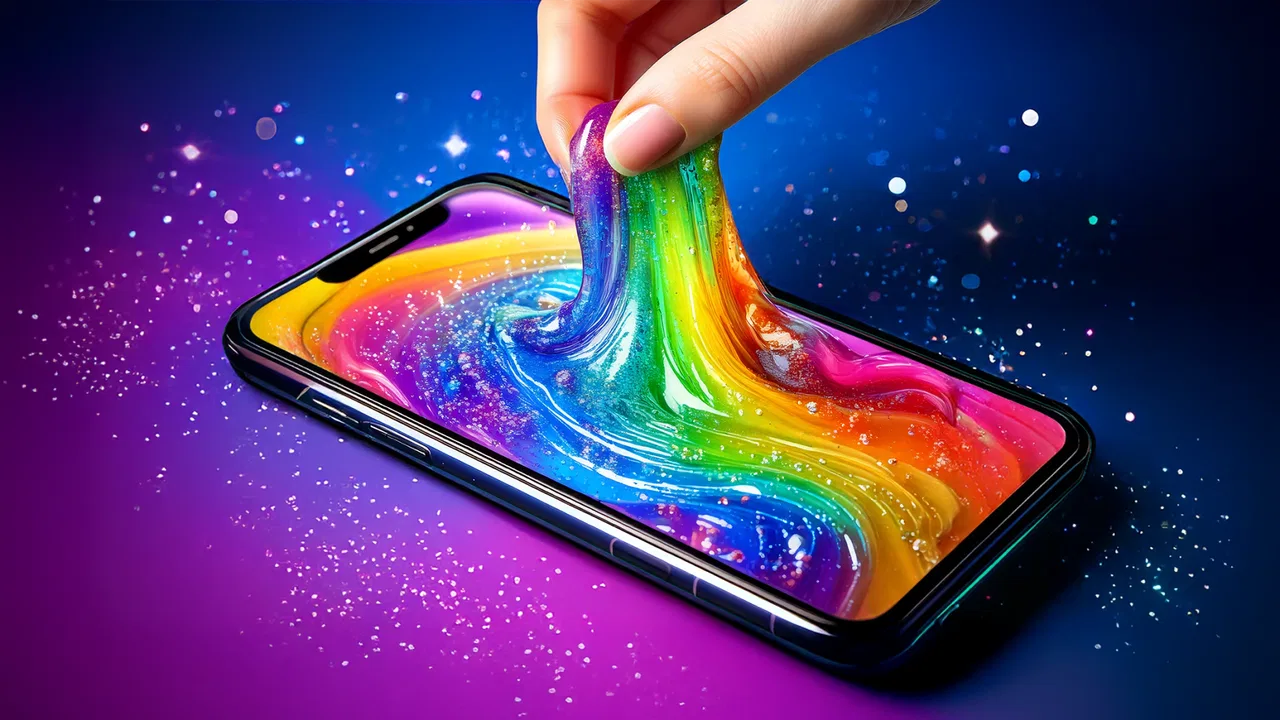
I opened Super Slime Simulator: DIY Art expecting a quick novelty and found a surprisingly focused way to fill a few quiet minutes. This free lifestyle app from Dramaton turns slime-making into a touch-based activity: I choose a base, adjust its appearance, add decorative elements, and then play with the finished result through simple gestures. It is not trying to replace a full creative suite or a real craft table. Its appeal is much narrower and clearer: a low-pressure, colorful activity that feels pleasant when I want something relaxing without having to plan anything.
The app is aimed at Everyone, works on Android starting with version 7.0, and has reached over 100 million installs. Its average rating is 4.5 from around 888 thousand ratings, which matches my impression that the basic idea is easy to understand and broadly accessible. I would recommend it most readily to people who enjoy tactile phone interactions, ASMR-style play, and small creative experiments. I would be more cautious with it if you want a deep game, a serious art tool, or a realistic simulation of physical slime.
From an empty screen to a finished slime
I find the move from a blank starting point to a finished slime works best when I give myself one small design goal, such as a calm color palette or a single contrasting accent. That keeps the choices enjoyable instead of turning the session into aimless browsing, and it makes the next stage—handling the result—feel more intentional.
You May Also Like

 Blood Strike: 2.5 Anniversary
Blood Strike’s Loadouts Turn Every Drop Into a Tactical Gamble
A close look at Blood Strike’s custom loadouts: how fast access to signature weapons reshapes its battle royale rhythm, rewards preparation, and narrows the gap between fights.

 Pandora - Music & Podcasts
Pandora’s Music Is Easy to Start, but Harder to Recover
Pandora’s strength is its low-effort path from a seed to a station. Its weak spot is how much confidence it asks you to place in connection, setup, and quiet recovery.

 8 Ball Pool
8 Ball Pool Is Built on Rivalries, Rematches, and Routine
A close look at the rivalries, rematches, shared routines, and unanswered safety questions that turn a quick pool match into a persistent mobile community.

 Samsung Music
Samsung Music’s Quiet Strength Is Playing What You Already Own
Its reach comes less from spectacle than from dependable access to a personal library. That simplicity is both the app’s strongest retention engine and its ceiling.

 AccuWeather: Weather Radar
AccuWeather Review: A Quick, Clear Forecast for Everyday Decisions
For everyday plans, the best forecast is the one you can understand quickly. AccuWeather makes rain timing, radar, and local conditions easy to act on, with a few trade-offs.

 Hill Climb Racing
Why Hill Climb Racing Still Turns Crashes Into One More Run
A tiny car, a bumpy hill and one more upgrade: Hill Climb Racing keeps resurfacing because its simple chaos makes every near-miss feel personal.
More From Our News Desk



The starting condition: a tiny creative task with no setup
The strongest part of the experience is how little preparation it demands. There is no need to gather glue, coloring, containers, or a clean surface. I can begin with the phone in one hand and treat the app as a short reset between larger tasks. That makes it useful in situations where a drawing app feels too demanding and a conventional game feels too competitive.
My usual starting point is to make one simple slime rather than immediately trying to create something elaborate. I pick a basic visual direction first: bright, soft, dark, glittery, or playful. This small decision matters because it gives the session a destination. Without it, the available decorations can encourage random tapping instead of a satisfying result.
The interface is built around direct manipulation rather than menus full of technical controls. I can see what I am changing as I work, so the learning curve is gentle. A child can understand the basic loop quickly, while an adult can use the same loop as a brief distraction. The app’s content rating supports that broad accessibility, although younger users may still need guidance around optional purchases.
One practical tip is to decide whether the goal is appearance or interaction before adding details. If I want a slime that looks good in a screenshot, I pay attention to color balance and decoration placement. If I mainly want the satisfying play afterward, I keep the design simpler so the movement and texture remain the focus. That distinction prevents me from spending time polishing a design I will barely interact with.
Step one: choosing a base and establishing a mood
The first meaningful choice is the slime’s general look. This is where the app feels most like a miniature art activity rather than a conventional game. I am not solving a puzzle or following a timed objective; I am deciding what kind of object I want to make. The process works best when I treat each creation like a small mood board: one main color, one supporting accent, and only a few extras.
Color combinations are more important than I expected. A vivid base with equally vivid decorations can become visually noisy, while a restrained combination looks more deliberate. I found that choosing the base first, then adding contrast rather than more of the same color, produced better-looking results. This is a useful workflow for anyone who wants to share a finished creation rather than simply tap through every option.
The app is forgiving, which is helpful for casual users but limits the sense of consequence. I can experiment without worrying about wasting physical materials. That makes it safer for children and less stressful for quick sessions, but it also means the creative decisions do not carry much weight. Someone who enjoys crafting because mistakes teach technique may find the digital version too frictionless.
Step two: adding decorations without losing the main idea
Once the base is chosen, the decorative stage is where the app can either become charming or feel cluttered. I get better results by adding one element at a time and pausing to inspect the whole surface. The temptation is to keep adding because each option is immediately available, but the finished slime usually benefits from leaving some visual space.
This is one of the app’s less obvious strengths: it gives me a simple way to practice restraint. I can compare a minimal design with a heavily decorated one without buying craft supplies or cleaning up afterward. For a younger user, that can become a gentle introduction to color and composition. For an adult, it is a small visual exercise that works well when concentration is low.
There is also a useful handoff between the creative and sensory parts of the experience. The design is not just a picture to finish and forget; it becomes the object I manipulate afterward. Because of that, I try not to judge a slime only by its appearance. A design that looks ordinary in a still view can be more enjoyable to stretch, poke, and move, while a busy design may look impressive but make the interaction feel less clear.
Step three: moving from making to playing
After the slime is ready, the app shifts from selection to touch. This change is the reason the experience feels more relaxing than a standard coloring activity. Instead of simply looking at the result, I can continue interacting with it through gestures and watch the digital material respond. The loop has no demanding objective, so I can repeat a motion until it becomes almost meditative.
I found this especially useful during short breaks when I wanted something more active than scrolling but less intense than a game. A few minutes of touch interaction can create a clear beginning and end: I make something, handle it, and then leave. That sense of completion is small, but it is more satisfying than opening a social feed and losing track of time.
The ASMR angle works best with the right expectations. This is not the same as handling real slime, and the phone cannot reproduce the physical resistance, temperature, or mess of a real material. What it can provide is a combination of visual motion, repeated gestures, and responsive feedback. If that digital approximation is enough for you, the app is pleasant. If the physical sensation is the whole point, a real slime kit will be the better choice.
Step four: saving the outcome as a personal little project
The result of each session is not a competitive score or a complex level completion. It is a finished digital slime that reflects a few choices I made. That makes the app suitable for users who like making collections of small creations, even if the motivation is simply to revisit a favorite color combination later.
I recommend taking a moment to decide what made a particular creation successful. Was it the contrast, the simplicity, or the way it felt during interaction? Thinking about that turns random experimentation into a repeatable process. On my next attempt, I can change one variable instead of starting from chaos: keep the base but alter the decorations, or keep the decoration style while trying a different color family.
This approach also answers an important question for parents: is the app only passive entertainment? Not entirely. It remains light and playful, but a child can practice sequencing decisions, noticing visual balance, and finishing a small project. The learning is informal rather than structured, so it should not be treated as an educational art course. Still, the making-to-playing-to-reviewing loop gives the activity more substance than a single animated effect.
The handoffs that make the workflow feel smooth
The transition from one stage to the next is generally clear because the app keeps the focus on the slime itself. I do not have to switch between unrelated modes or learn a complicated control scheme. The handoff from choosing a base to decorating feels natural, and the handoff from decorating to touching the finished slime gives the earlier choices a purpose.
The most important handoff is from phone activity to everyday life. I can use it while waiting for an appointment, winding down before sleep, or taking a break from work that requires sustained attention. In those moments, the app is better than a long-form game because I can stop without feeling that I have abandoned a mission. It is also less demanding than a drawing app because I do not need to produce a recognizable picture.
There is a trade-off here. Because the experience is designed for quick access, it does not give me the deep sense of progression found in larger games. There is no strong reason to return for mastery if I am not personally motivated by experimenting with designs. The handoff from one session to the next depends on my own curiosity rather than a demanding progression system.
A realistic everyday session
Imagine finishing a long commute and having ten quiet minutes before dinner. I would open the app, choose a calm base color, add one contrasting decoration, and spend a little time manipulating the result. If the session starts to feel repetitive, I can stop after the finished slime rather than forcing myself through another round. That is a good fit for a short break because the activity has a complete arc without requiring a large time commitment.
For a child, the same workflow might happen after school. An adult can help choose a color combination, then let the child handle the decorating and interaction. The useful handoff is that the adult does not need to explain complicated rules. However, I would still supervise purchases and device use, especially because the app is free to install but offers in-app items priced from $3.49 to $54.99 each.
For someone who experiences sensory overload, I would begin with a simple design and lower the phone’s volume if the sound or movement feels too stimulating. The app’s relaxing quality is personal, not guaranteed. Some users will find repeated animation calming, while others may find the same repetition irritating. The right way to judge it is through a short trial rather than assuming that an ASMR-focused app will suit every mood.
Where the flow breaks
The main weakness appears when the initial novelty wears off. The basic loop is easy to repeat, but it can also become predictable: choose, decorate, manipulate, and move on. Users who need goals, challenges, story, or measurable progress may feel that the app runs out of direction quickly. In that case, a puzzle game, drawing app, or physical craft project would offer more varied reasons to continue.
The digital material also has a clear ceiling. It looks and behaves like a phone simulation, not like a genuine substance. If you are choosing this because you want to learn how slime is mixed, how ingredients affect texture, or how to fix a failed batch, this is the wrong tool. It removes the chemistry and physical technique that make real slime-making interesting.
Optional purchases are another point where the otherwise simple flow can feel less relaxed. A free app is easy to try, but a user who wants access to more of the available creative possibilities may encounter purchase prompts. I would approach it with a firm rule: enjoy the free experience first, and only consider spending if the app has become a regular creative break rather than a one-day novelty.
Performance expectations should also remain modest. The current version is 12.60, but the app is still fundamentally a lightweight touch activity rather than a demanding visual game. That is good for accessibility, yet it also means I would not choose it for advanced graphics or detailed artistic control. Its value comes from immediacy, not technical depth.
Who should use it, and who should skip it?
I think it is a strong match for people who want a gentle, screen-based sensory activity; children who enjoy colors and playful decoration; and adults looking for a short break that does not involve competition. It is also useful for anyone curious about slime aesthetics but unwilling to deal with sticky materials, storage, or cleanup.
I would skip it if your main goal is learning a craft, making polished digital illustrations, or playing a game with a substantial progression system. I would also hesitate if you dislike repeated touch interactions or find simulated sensory effects unconvincing. A coloring app is better for deliberate image-making, a real slime kit is better for physical sensation, and a deeper casual game is better when you want goals.
My most useful recommendation is to treat the app as a small ritual rather than an endless pastime. Choose a theme before opening the decoration options, stop adding elements once the design feels balanced, and then spend a defined short period interacting with the result. That workflow preserves the relaxing part and reduces the chance of drifting into repetitive tapping or impulse purchases.
My final take on the experience
Super Slime Simulator: DIY Art succeeds because it understands its own scale. It gives me a colorful, tactile-feeling activity that can begin and end in a few minutes, and the path from an empty screen to a finished slime is clear enough for almost anyone to follow. The app is free, rated for Everyone, and developed by Dramaton, with a large audience that reflects how approachable the concept is.
I would not call it a complete game or a replacement for real crafting. Its best qualities are immediacy, low pressure, and the pleasant handoff from designing a slime to playing with it. Its limitations are the shallow long-term progression, the artificial feel compared with physical materials, and the possibility that optional purchases can interrupt a supposedly simple break.
For me, the outcome is worthwhile when I want a calm, colorful distraction with a tiny creative payoff. I would recommend trying it with modest expectations: use it to make one small digital object, enjoy the touch-based interaction, and leave when the session has done its job. Its real strength is not endless content, but the complete little workflow from choice to creation to release.
FAQs for Super Slime Simulator: DIY Art
01What is Super Slime Simulator: DIY Art?
Super Slime Simulator: DIY Art is a creative and interactive mobile app that allows users to create, customize, and play with virtual slime. It offers a variety of textures, colors, and decorations to enhance the slime experience, providing a fun and mess-free alternative to physical slime crafting.
02How does the virtual slime creation process work?
The app provides a user-friendly interface to mix different ingredients and customize your slime. You can select the type, color, and texture, and add unique decorations. The simulator then generates a realistic slime that you can stretch, poke, and play with using touch gestures on your device.
03Is Super Slime Simulator suitable for children?
Yes, Super Slime Simulator is designed to be kid-friendly, offering a safe and entertaining environment for children to explore their creativity. The app includes parental controls and does not contain any harmful content, making it a suitable choice for young users under supervision.
04Does the app offer in-app purchases?
Super Slime Simulator is free to download, but it includes optional in-app purchases. These purchases provide access to exclusive textures, colors, and decorative items. Users can enjoy the basic features without spending money, but additional content is available for those looking to expand their creative options.
05What devices are compatible with Super Slime Simulator?
The app is compatible with both Android and iOS devices. It requires a minimum operating system of Android 4.4 or iOS 9.0. Ensure your device meets these requirements for optimal performance and to enjoy all the features of the slime simulator without any technical issues.
Pros
- Realistic slime textures and sounds.
- Diverse color and pattern options.
- No internet required for play.
- Regular updates with new features.
- User-friendly interface for all ages.
Cons
- Contains ads that can be intrusive.
- Limited customization without purchases.
- Some features require in-app purchases.
- Occasional lag on older devices.
- No multiplayer or social features.

Super Slime Simulator: DIY Art
Gallery